

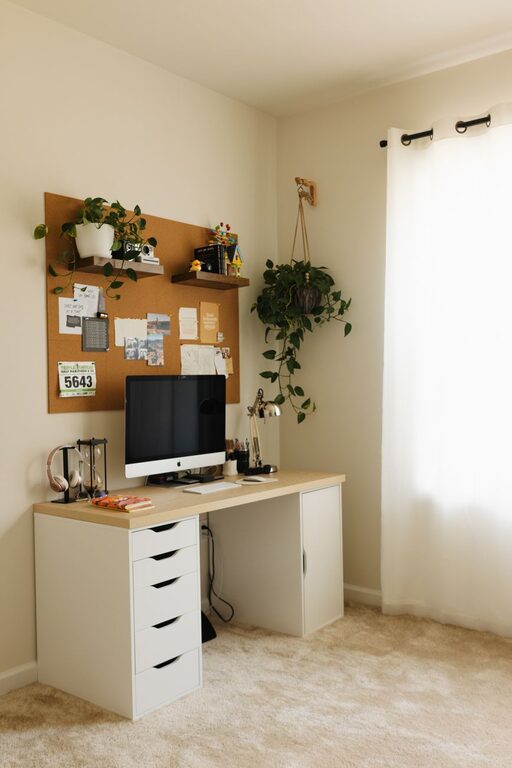
Creating a home office that is both cozy and productive is essential for anyone working from home. A well-designed space can improve focus, reduce stress, and make your workday more enjoyable. Whether you have a dedicated room or a small corner in your living room, these tips will help you transform your area into an efficient and inviting workspace.
Choose the Right Location
Find a Quiet Spot
Select a place in your home that is relatively free from distractions and noise. This can be a spare room, a section of the bedroom, or even a nook in the kitchen. The goal is to create a space where you can focus without interruptions.
Good Natural Lighting
Natural light helps reduce eye strain and keeps you energized. Position your desk near a window if possible. If natural light is limited, invest in quality artificial lighting to keep the area bright and welcoming.
Invest in Comfortable Furniture
Ergonomic Chair and Desk
Your chair and desk play a significant role in your comfort and productivity. Choose an ergonomic chair that supports your back and encourages good posture. The desk should be at a comfortable height to avoid strain on your wrists and shoulders.
Consider Adjustable Options
Adjustable desks or chairs allow you to change positions throughout the day, which can reduce fatigue. Standing desks or sit-stand converters provide flexibility and help maintain better circulation.
Organize for Efficiency
Declutter Regularly
A clean workspace helps clear your mind. Remove unnecessary items and keep only what you need daily within reach. Use drawers, shelves, or storage boxes to keep the area tidy.
Use Organizational Tools
Desk organizers, file holders, and cable management solutions keep your office supplies and electronics neatly arranged. Labeling folders and storage bins can also save time when searching for documents.
Personalize Your Space
Add Plants
Indoor plants not only add a touch of nature but also improve air quality. Choose low-maintenance plants like pothos, snake plants, or succulents for easy care.
Incorporate Personal Touches
Decorate with artwork, photos, or objects that inspire you. Personal touches make your office feel more inviting and can increase motivation.
Manage Technology Effectively
Reliable Internet and Equipment
A stable internet connection and reliable devices are must-haves for a productive home office. Keep your computer, printer, and other equipment updated and in good working order.
Minimize Distractions
Turn off non-essential notifications and keep your work devices focused on your tasks. Consider using noise-canceling headphones if your environment is noisy.
Set Boundaries and Routine
Define Work Hours
Establish clear start and end times for your workday. This helps separate work life from personal life and avoids burnout.
Create a Morning Routine
Begin your workday with a routine to signal your brain it’s time to focus. This could include making a cup of coffee, reviewing your to-do list, or a brief stretch.
Enhance Comfort and Ambiance
Control Temperature and Air Quality
Make sure your space is well-ventilated and at a comfortable temperature. A small fan or heater can be useful depending on your climate.
Use Soothing Colors and Textures
Choose calming colors like soft blues, greens, or neutrals to create a soothing environment. Adding cozy textiles such as a rug, cushions, or a throw blanket can make the space more inviting.
—
By combining these practical tips, you can create a home office that supports your productivity while making your workday more comfortable and enjoyable. Remember, your workspace should reflect your needs and preferences, so feel free to adapt these ideas to fit your unique situation.